Conference Systems
Elevate Your Meetings with Advanced Conference Systems – A Must-Have for the Best Computer Setup
In today’s fast-paced digital world, seamless communication and collaboration are critical to success — whether you’re running a corporate boardroom, conducting remote interviews, hosting webinars, or managing hybrid team meetings. That’s where Conference Systems come into play. Designed to streamline audio and video interactions, modern conference systems ensure that every word is heard clearly, every presentation is displayed sharply, and every participant — whether remote or in-person — feels like they’re in the same room.
If you’re building the Best Computer setup for professional communication, a high-quality Conference System is not just a luxury — it’s a necessity.
What Are Conference Systems?
Conference Systems are integrated communication solutions that combine hardware and software to facilitate clear, efficient, and high-quality group communication. These systems often include microphones, speakers, cameras, control units, and connectivity tools that support audio and video conferencing across various platforms like Zoom, Microsoft Teams, Google Meet, and Webex.
From compact setups for home offices to sophisticated solutions for large boardrooms and auditoriums, Conference Systems offer scalability, clarity, and functionality — all essential for modern business environments.
Why Conference Systems Are Essential for the Best Computer Environment
A powerful computer setup is incomplete without robust communication tools. The Best Computer not only needs to run high-performance applications but must also support smooth and professional virtual interactions. A reliable conference system complements your computer’s processing power, allowing you to:
- Conduct high-quality video meetings
- Share screens and multimedia in real-time
- Ensure crystal-clear audio communication
- Host large virtual conferences with minimal lag or distortion
With Conference Systems, you bridge the gap between physical and virtual spaces — a critical component in today’s hybrid work models.
Key Features of Modern Conference Systems
1. Superior Audio Clarity
Equipped with noise-cancelling microphones and HD audio speakers, these systems capture and reproduce voice with exceptional accuracy. This ensures no message is missed — ideal for sensitive business negotiations, lectures, and brainstorming sessions.
2. High-Definition Video Support
Integrated or attachable HD and 4K cameras deliver sharp visuals, facial expressions, and gestures — making virtual interactions feel more personal and impactful.
3. Seamless Integration with the Best Computer Systems
Compatible with both Windows and macOS, conference systems easily integrate into existing computing setups. Whether using a laptop or a desktop as your Best Computer, these systems connect via USB, HDMI, Bluetooth, or Wi-Fi for plug-and-play functionality.
4. Central Control Unit
Advanced conference systems include centralized control units that allow you to manage microphones, volume, camera angles, and connectivity, all from one interface.
5. Wireless Capabilities
Many conference systems feature wireless microphones and Bluetooth-enabled devices, reducing clutter and enhancing mobility in meeting rooms.
6. Multi-User Support
Designed to handle multiple inputs simultaneously, these systems allow several participants to speak, share screens, and engage without interruptions or delays.
Applications of Conference Systems
- Corporate Boardrooms: For executive meetings, quarterly reviews, and strategic planning.
- Educational Institutions: In lecture halls and online classrooms for interactive learning experiences.
- Webinars & Virtual Events: Deliver professional-grade presentations with ease.
- Remote Work: Support hybrid teams and freelancers with professional-grade audio-video solutions.
- Government & NGOs: Host secure and efficient interdepartmental communications.
Whether you’re using the Best Computer for business or education, integrating a conference system can significantly enhance productivity, reduce misunderstandings, and improve collaborative efficiency.
Compatibility and Scalability
One of the major advantages of today’s Conference Systems is their wide compatibility and scalability. From compact personal systems for individual users to large-scale modular systems for multi-room deployments, there’s a solution for every need. These systems are typically compatible with:
- Desktop PCs and laptops
- Smart TVs and projectors
- External microphones and audio interfaces
- Video conferencing platforms
- Unified communication apps
And they scale easily from 2-person setups to 100+ participant configurations.
Choose Quality, Choose Productivity
When choosing a Conference System, consider:
- Audio quality and noise reduction
- Video resolution and camera flexibility
- Number of participants and microphone coverage
- Wired vs. wireless functionality
- Cross-platform compatibility
Reputable brands like Logitech, Jabra, Polycom, Anker, and Yealink offer industry-leading systems suitable for all types of users — from solo entrepreneurs to large corporations.
Build the Best Computer Environment with a Reliable Conference System
A high-quality Conference System is the missing link in your Best Computer setup. Whether you’re leading a team, pitching a client, or collaborating across borders, the right tools make all the difference. Don’t settle for laptop webcams and tinny mic audio — upgrade to a solution designed for professional results.
Choose a Conference System that enhances your communication, supports your productivity, and transforms your digital workspace into a collaborative hub. For those seeking the Best Computer setup, this is not just an upgrade — it’s a strategic advantage.
Showing all 14 resultsSorted by price: high to low
-
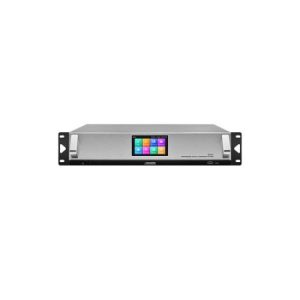
DSPPA D7101 Full Digital Conference System Host
Read more -
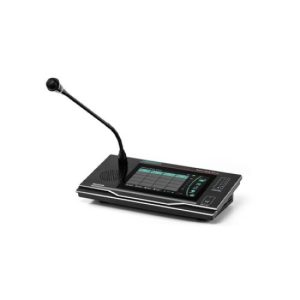
DSPPA MAG6588 Intelligent Network Paging Station
Read more -
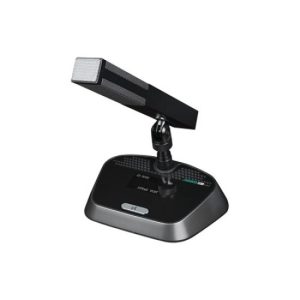
DSPPA D7323 5G WiFi Desktop Conference Chairman Microphone
Read more -
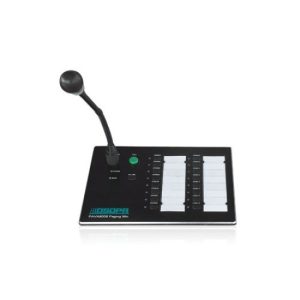
DSPPA PAVA8008 Integrated Voice Alarm PA System Remote Paging Station
Read more -
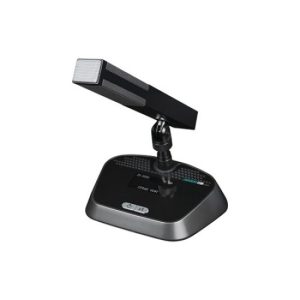
DSPPA D7324 5G WiFi Desktop Conference Delegate Microphone
Read more -

DSPPA D7331 5G WiFi Conference Microphone Charger
Read more -
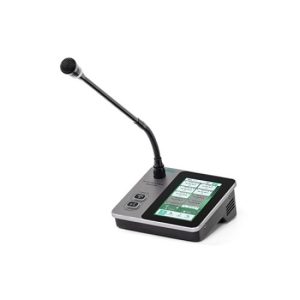
DSPPA MAG6585 Compact IP PA Paging Microphone
Read more -

DSPPA MP9866 Digital Conference System Controller
Read more -
Sale!
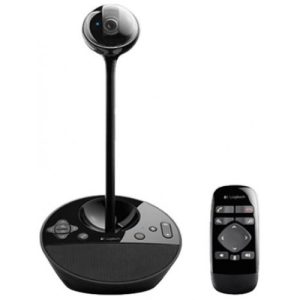
Logitech BCC950 HD 1080p Camera Video Conference Webcam
Original price was: 25,500৳ .25,000৳ Current price is: 25,000৳ . Add to cart -
Sale!
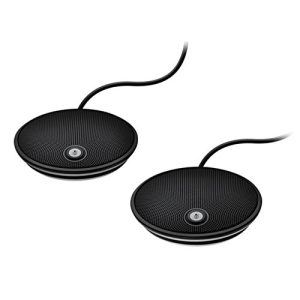
Logitech Group Expansion Microphones (Pair) for Larger Video & Audio Conferencing
Original price was: 36,500৳ .35,000৳ Current price is: 35,000৳ . Add to cart -
Sale!
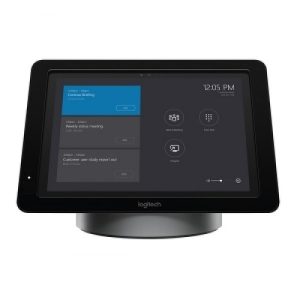
Logitech SmartDock (Used with Microsoft Surface Pro)
Original price was: 86,500৳ .85,000৳ Current price is: 85,000৳ . Add to cart -
Sale!
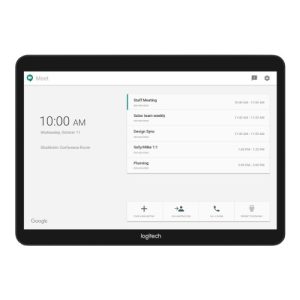
Logitech Tap for one Touch Video Conference Controlling
Original price was: 130,000৳ .125,000৳ Current price is: 125,000৳ . Add to cart -
Sale!
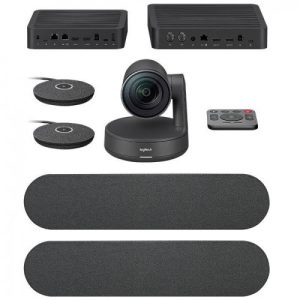
Logitech Rally Plus Video Conferencing Set (8 Pcs Set/Audio Coverage 24 Feet)
Original price was: 405,000৳ .390,000৳ Current price is: 390,000৳ . Add to cart -
Sale!
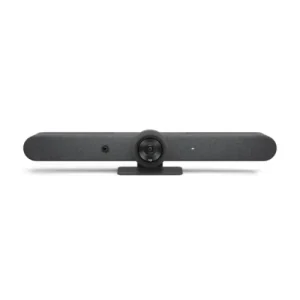
Logitech Rally Bar 4K All-In-One Video Conferencing System
Original price was: 525,000৳ .520,000৳ Current price is: 520,000৳ . Add to cart