PC Builder BD 2025 – Build Your Dream Workstation
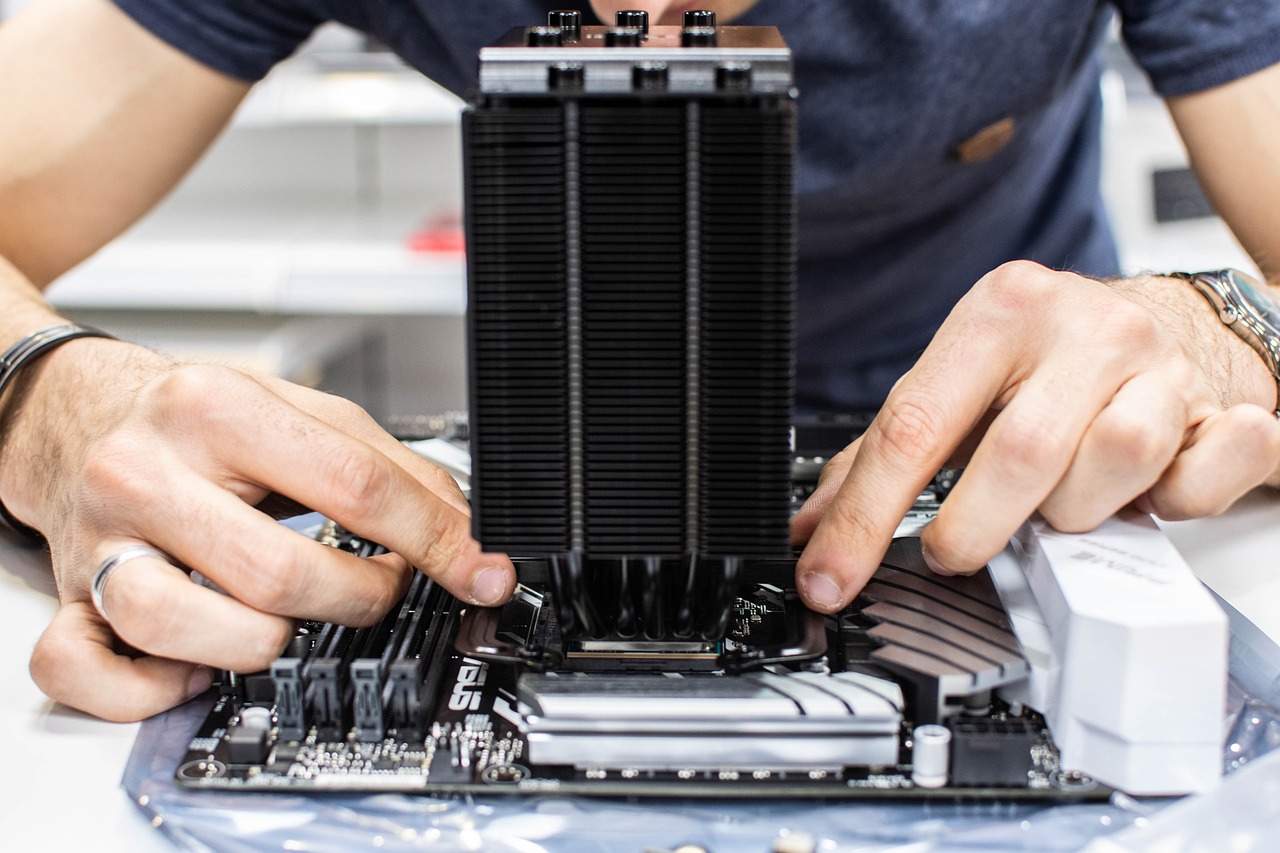
In 2025, the technological landscape in Bangladesh has reached new heights. With the increasing demand for high-performance workstations, building a custom PC tailored to your specific needs has never been more important. Whether you’re a gamer, a content creator, or a professional requiring immense computing power, PC Builder BD 2025 is here to transform your vision into reality. In this guide, we’ll explore how to create the ultimate workstation and why Best Computer Hub Ltd is your go-to partner for achieving this dream.
Why Choose a Custom Workstation?
A custom workstation offers unparalleled flexibility and performance. Unlike pre-built systems, custom PCs allow you to select every component to match your requirements and budget. Here are the primary benefits:
- Tailored Performance: Whether it’s high-speed rendering, multi-tasking, or smooth gaming, a custom workstation ensures optimal performance.
- Scalability: Upgrade your system anytime to keep up with advancing technology.
- Cost-Effectiveness: Choose components that provide the best value for money, avoiding unnecessary costs.
- Personalization: Design your workstation to reflect your style and functional needs.
With PC Builder BD 2025, you can make informed decisions about components that align perfectly with your workflow or gaming preferences.
How to Build Your Dream Workstation
Building a workstation involves understanding your needs, selecting the right components, and assembling them with care. Here’s a step-by-step guide:
1. Define Your Purpose
Identify what you’ll primarily use the PC for:
- Gaming: High-end GPUs, fast RAM, and a capable CPU are crucial.
- Content Creation: Opt for powerful processors, substantial RAM, and large storage options.
- Professional Use: Reliability and processing power are key, especially for tasks like CAD design or 3D rendering.
2. Choose the Right Components
Here’s an overview of essential components to consider:
- Processor (CPU): The brain of your PC. For heavy tasks, go for AMD Ryzen 7000 series or Intel 13th Gen processors.
- Graphics Card (GPU): Vital for gaming and design tasks. NVIDIA GeForce RTX 40 series and AMD Radeon RX 7000 series are top choices.
- Memory (RAM): At least 16GB for general use; 32GB or more for professional tasks.
- Storage: Combine SSDs for speed and HDDs for large storage.
- Motherboard: Ensure compatibility with your CPU and other components.
- Power Supply Unit (PSU): A reliable PSU with adequate wattage is critical.
- Cooling System: Keep your PC cool with air or liquid cooling solutions.
3. Select Quality Peripherals
Don’t overlook monitors, keyboards, mice, and audio systems. Quality peripherals can significantly enhance your user experience.
4. Assemble and Test
Assemble the components carefully or hire professionals for the task. Test your PC to ensure everything is working seamlessly.
PC Builder BD 2025 – Your Ultimate Companion
Building a custom PC can seem daunting, but PC Builder BD 2025 simplifies the process. With user-friendly tools and expert guidance, you can design and build a workstation that meets all your requirements. Here are the standout features:
- Component Compatibility Checker: Ensures all parts are compatible.
- Budget-Friendly Options: Helps you build a PC without breaking the bank.
- Expert Recommendations: Get suggestions for components based on your needs.
- User Reviews and Ratings: Access feedback to make informed decisions.
By using PC Builder BD 2025, you’ll save time, avoid costly mistakes, and create a system that’s truly yours.
Why Choose Best Computer Hub Ltd?
When it comes to sourcing components and professional assembly services, Best Computer Hub Ltd stands out as a trusted partner. Here’s why:
1. Extensive Product Range
From the latest CPUs to high-performance GPUs, Best Computer Hub Ltd offers a vast inventory of authentic and cutting-edge components.
2. Competitive Pricing
Enjoy competitive prices without compromising on quality. Whether you’re on a tight budget or looking for premium parts, they’ve got you covered.
3. Expert Advice
The experienced staff at Best Computer Hub Ltd provide valuable insights to help you choose the right components for your workstation.
4. Assembly Services
Not confident about assembling your PC? Let the professionals handle it. Their technicians ensure every component is installed perfectly.
5. After-Sales Support
With excellent customer service and after-sales support, you’ll have peace of mind knowing help is always available.
By partnering with Best Computer Hub Ltd, your PC Builder BD 2025 experience will be smooth, efficient, and satisfying.
Building a Workstation for Every Need
Let’s explore some scenarios where PC Builder BD 2025 and Best Computer Hub Ltd can help you build the perfect workstation:
1. For Gamers
Create a gaming beast capable of running the latest AAA titles in ultra settings:
- CPU: Intel Core i9 or AMD Ryzen 9.
- GPU: NVIDIA RTX 4080 or AMD RX 7900 XT.
- RAM: 32GB DDR5.
- Monitor: 144Hz or higher for a smoother experience.
2. For Content Creators
Streamline your creative workflow with a powerhouse PC:
- CPU: AMD Threadripper or Intel Xeon.
- GPU: NVIDIA Quadro RTX series.
- RAM: 64GB or more.
- Storage: NVMe SSDs for faster file transfers.
3. For Office Professionals
Enhance productivity with a reliable and efficient system:
- CPU: Intel Core i5 or AMD Ryzen 5.
- RAM: 16GB.
- Storage: SSD for quick boot-ups and HDD for bulk storage.
- Peripherals: Dual monitors for multitasking.
Tips for a Successful PC Build
To ensure your workstation is perfect, keep these tips in mind:
- Research Thoroughly: Understand your requirements and the latest technologies.
- Plan Your Budget: Allocate funds wisely for components and peripherals.
- Future-Proof Your Build: Opt for components that allow for easy upgrades.
- Invest in Cooling: Prevent overheating with quality cooling solutions.
- Choose Trusted Vendors: Rely on Best Computer Hub Ltd for genuine parts and expert service.
The Future of PC Building in Bangladesh
As the demand for high-performance systems grows, PC Builder BD 2025 is set to revolutionize the way PCs are built in Bangladesh. With tools that simplify customization and partnerships with reliable vendors like Best Computer Hub Ltd, building your dream workstation has never been easier.
Whether you’re a tech enthusiast, a professional, or someone exploring the world of custom PCs for the first time, PC Builder BD 2025 is your gateway to creating a system that’s uniquely yours. So, why wait? Start building your dream workstation today and experience the ultimate in performance and personalization.
Final Thoughts – PC Builder BD 2025
The year 2025 is the perfect time to invest in a custom-built PC that meets your specific needs. With the tools and resources offered by PC Builder BD 2025, along with the exceptional services of Best Computer Hub Ltd, building your dream workstation is both simple and rewarding. Embrace the future of computing with a custom PC that empowers you to achieve more.
Remember, when it comes to PC building in Bangladesh, PC Builder BD 2025 is the name to trust. Let your imagination take flight and create a workstation that truly reflects your aspirations.