Description
Microsoft 365 Apps for Business (1 Year Subscription) – Unlock Professional Productivity Tools for Your Team
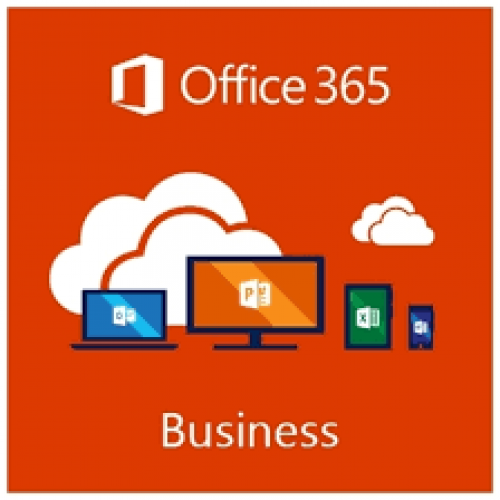
The Microsoft 365 Apps for Business (1 Year Subscription) is a comprehensive suite of productivity tools designed specifically for small and medium-sized businesses. With access to the latest desktop versions of Microsoft’s most popular apps—Word , Excel , PowerPoint , Outlook , and OneNote —along with 1 TB of OneDrive cloud storage per user , this subscription provides everything your team needs to work efficiently and securely. Backed by enterprise-grade security, seamless integration with Microsoft’s ecosystem, and ongoing updates, Microsoft 365 Apps for Business ensures your organization stays agile, connected, and secure in today’s fast-paced digital landscape. Available exclusively at Best Computer Hub , this solution is your gateway to unlocking professional-grade tools tailored for modern businesses.
[ez-toc]
Key Features of Microsoft 365 Apps for Business (1 Year Subscription)
- Desktop Versions of Essential Apps: Access the latest versions of Word, Excel, PowerPoint, Outlook, and OneNote for offline use.
- 1 TB of OneDrive Cloud Storage Per User: Store, sync, and share files securely in the cloud.
- Advanced Security: Protect your data with encryption, threat protection, and compliance tools.
- Seamless Integration: Work effortlessly across devices with integration into Microsoft’s ecosystem.
- Ongoing Updates: Receive regular feature updates, performance improvements, and security patches.
- 24/7 Technical Support: Get help whenever you need it with round-the-clock support from Microsoft.
Why Choose Microsoft 365 Apps for Business (1 Year Subscription)?
The Microsoft 365 Apps for Business (1 Year Subscription) isn’t just another software package—it’s a complete solution tailored for businesses that demand flexibility, scalability, and cutting-edge tools. Here’s why it’s essential:
1. Desktop Versions of Essential Apps
Access the full desktop versions of Word , Excel , PowerPoint , Outlook , and OneNote . These apps are packed with advanced features like real-time co-authoring, AI-powered suggestions, and customizable templates to help you work smarter and faster.
2. Generous Cloud Storage
Each user gets 1 TB of OneDrive cloud storage , ensuring everyone in your organization can store, sync, and share files securely. Whether it’s documents, spreadsheets, or presentations, OneDrive provides a reliable platform for all your needs.
3. Advanced Security
Protect your organization’s sensitive data with enterprise-grade security features like encryption , threat protection , and data loss prevention (DLP) . These tools ensure your files and communications remain secure against modern threats.
4. Seamless Integration
Work effortlessly across devices with seamless integration into Microsoft’s ecosystem. Sync files between your desktop, tablet, and smartphone, and collaborate with teammates in real-time using OneDrive and SharePoint.
5. Ongoing Updates
With regular updates, you’ll always have access to the latest features, performance improvements, and security patches. Additionally, Microsoft’s 24/7 technical support ensures you’re never stuck when troubleshooting issues.
6. Cost-Effective Solution
Designed for small and medium-sized businesses, this subscription offers professional-grade tools at an affordable price, making it an ideal choice for organizations looking to maximize productivity without breaking the bank.
Why Choose Best Computer Hub?
Best Computer Hub is your ultimate destination for premium tech products, including the Microsoft 365 Apps for Business (1 Year Subscription) . Here’s why customers trust us:
- Authentic Products: Direct sourcing from authorized distributors ensures genuine software licenses.
- Competitive Pricing: Exclusive deals, discounts, and bundle offers for unbeatable value.
- Expert Support: Assistance with setup, troubleshooting, and performance optimization.
- Hassle-Free Shopping: Secure online ordering at Best Computer Hub or in-store demos at our showrooms.
What is the Price of Microsoft 365 Apps for Business (1 Year Subscription) in Bangladesh?
The price of the Microsoft 365 Apps for Business (1 Year Subscription) varies based on availability and licensing options. Visit our Software Category or contact our showrooms for real-time pricing and customization options.
Stay Connected with Best Computer Hub
📲 Get updates on deals, launches, and tech tips:
👉 Facebook
👉 X (formerly Twitter)
👉 LinkedIn
👉 YouTube
Empower Your Business Today!
The Microsoft 365 Apps for Business (1 Year Subscription) is your key to enabling secure, reliable, and scalable productivity tools for your organization. Order now and ensure your team is equipped with the tools they need to thrive—only at Best Computer Hub !
Detailed Benefits of Choosing Microsoft 365 Apps for Business (1 Year Subscription)
1. Desktop Versions of Essential Apps
- Full Offline Access: Use Word, Excel, PowerPoint, Outlook, and OneNote without an internet connection.
- AI-Powered Features: Leverage tools like Editor, Ideas, and Smart Lookup for smarter workflows.
- Real-Time Collaboration: Work together with others in real-time, even when apart.
2. Generous Cloud Storage
- 1 TB OneDrive Storage Per User: Each team member gets their own 1 TB of cloud storage.
- File Recovery: Recover accidentally deleted files or restore previous versions.
- Ransomware Protection: Detect and recover from ransomware attacks automatically.
3. Advanced Security
- Encryption: Protect emails, documents, and communications with end-to-end encryption.
- Threat Protection: Detect and block malicious activities before they impact your organization.
- Data Loss Prevention (DLP): Prevent accidental sharing of sensitive information with predefined policies.
4. Seamless Integration
- Cross-Device Sync: Sync files and settings across Windows PCs, Macs, tablets, and smartphones.
- Collaboration Tools: Share and collaborate on files stored in OneDrive or SharePoint.
- Unified Ecosystem: Integrate seamlessly with other Microsoft services like Teams and Outlook.
5. Ongoing Updates
- Feature Updates: Stay ahead with new tools and functionalities added through updates.
- Performance Improvements: Optimize app speed and stability with ongoing refinements.
- Security Patches: Ensure your subscription remains protected against emerging threats.
6. Cost-Effective Solution
- Affordable Pricing: Designed for small and medium businesses, offering professional-grade tools at a budget-friendly price.
- Scalable Licensing: Add or remove users as your business grows or changes.
- High ROI: Maximize productivity and efficiency with minimal investment.
Who Should Buy Microsoft 365 Apps for Business (1 Year Subscription)?
This subscription is ideal for:
- Small and Medium Businesses: Equip your team with essential productivity tools without breaking the bank.
- Remote Teams: Enable seamless collaboration and communication for distributed teams.
- Startups: Provide professional-grade tools to establish a strong foundation.
- Freelancers and Consultants: Access essential tools for managing projects, clients, and communications.
Technical Specifications
Comparison with Competitors
- vs. Microsoft 365 Business Basic: Offers desktop versions of apps, making it more suitable for businesses that require offline functionality.
- vs. Free Alternatives: Provides advanced features, cloud storage, and security tools not available in free versions like Office Online.
- vs. Older Versions: Includes the latest features, security enhancements, and compatibility with modern hardware.

Microsoft 365 Apps for Business (1 Year Subscription)